01 / Runtime
Zero runtime deps
Pure C++ inside the editor. No Python, no Node, no external services. If the engine builds, AssetFolio runs.
C++
no-net
 UE5 Editor Plugin · v1.0
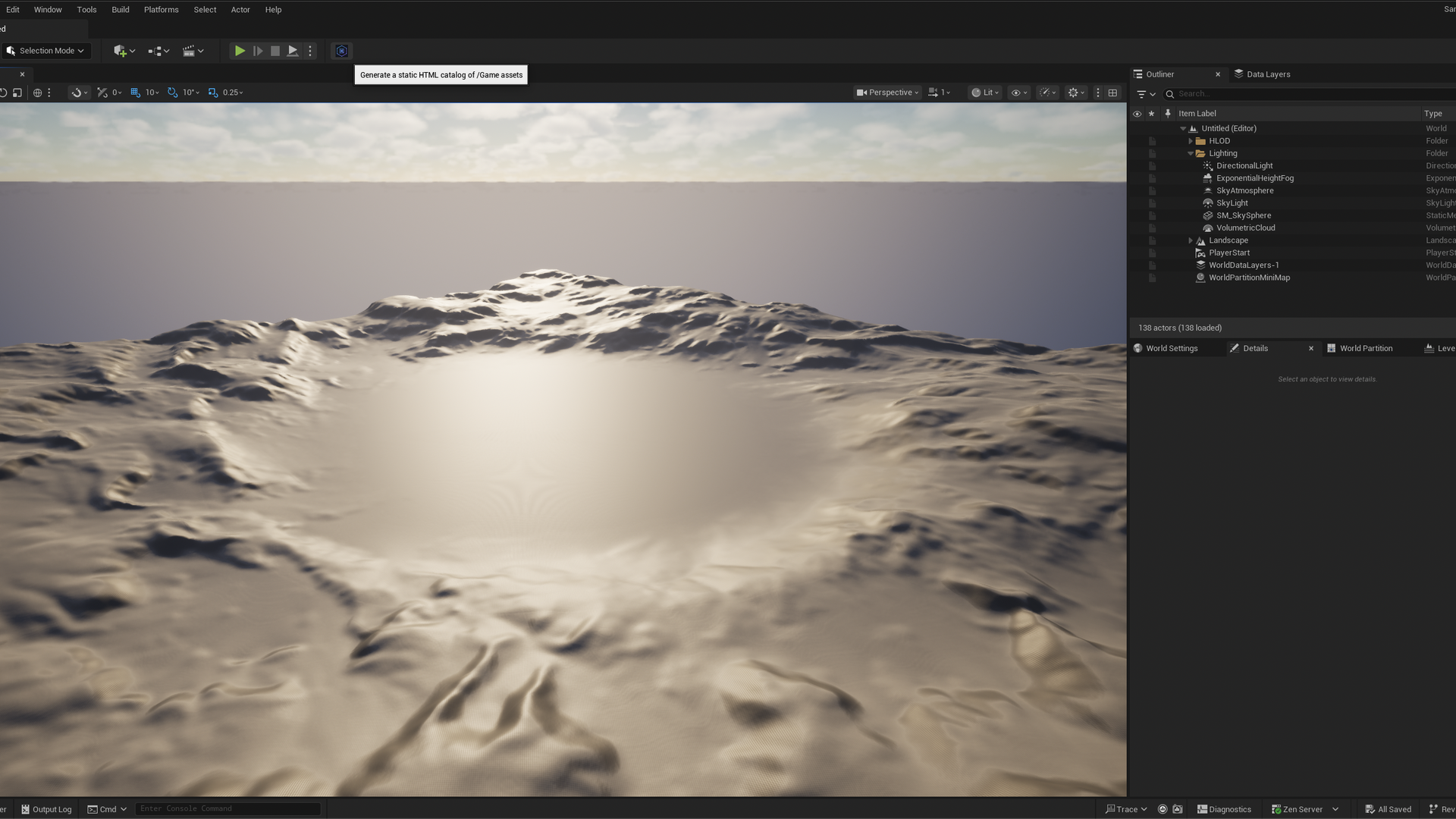
AssetFolio adds one toolbar button to the Unreal Engine 5 Level Editor. One click generates a self-contained HTML catalog of every asset in your project — share without UE installed.
Outsourcers, art directors and producers need to see what's in your project — but most of them don't run Unreal Engine.
AssetFolio generates a flat, offline-friendly HTML grid of every thumbnail in your Content Browser. Zip it, drop it in Drive, send a link. Recipients browse the whole library in any browser — searchable, filterable by class, copy-paste asset paths in one click.
No web service. No login. No build pipeline. Just the same thumbnails UE already rendered, served from a folder you own.
Six things that matter when you actually use this in production.
Pure C++ inside the editor. No Python, no Node, no external services. If the engine builds, AssetFolio runs.
Cached FObjectThumbnail → live RenderThumbnail → class icon fallback. Always produces a PNG.
Class chips, fuzzy path search, one-click copy of full asset paths. Same UX in the dialog and in the output.
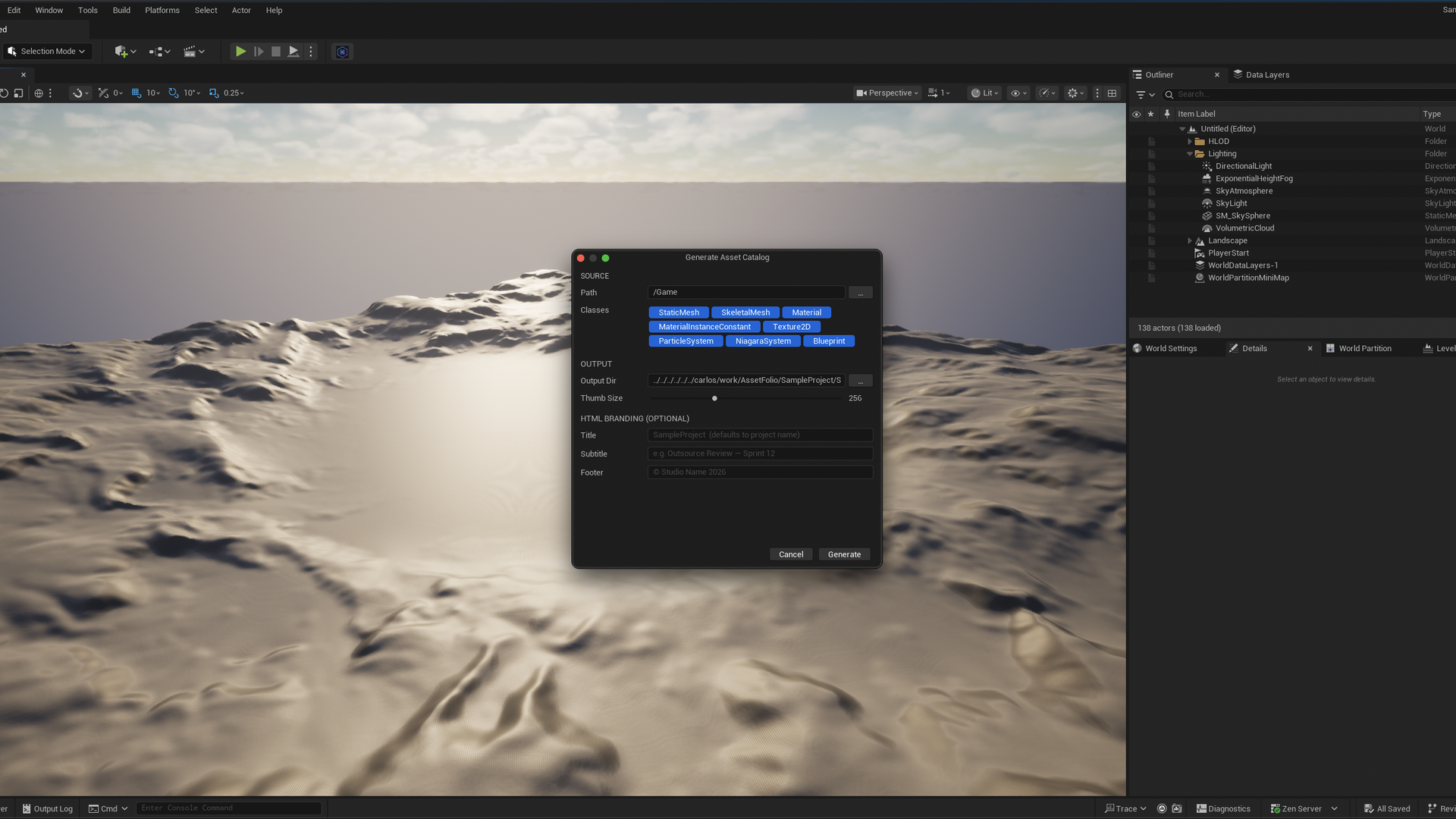
Title, subtitle and footer fields. Send a catalog that looks like it came from your studio, not a stock template.
Progress bar, cancel button, no editor lock-up. Generates while Play-in-Editor is running.
The catalog opens from a USB stick on a plane. No CDN, no fonts to download, no analytics phoning home.
AssetFolio sits in the Level Editor toolbar like any other tool. One click opens the generator dialog.
Level Editor → AssetFolioChoose a content root, narrow to specific classes (Static Meshes, Materials, Textures…), set thumb size and branding.
/Game/Environment → png 256index.html.Watch the progress bar fill. When the toast appears, the catalog is on disk — open it in any browser, zip it, share it.
→ Open in browser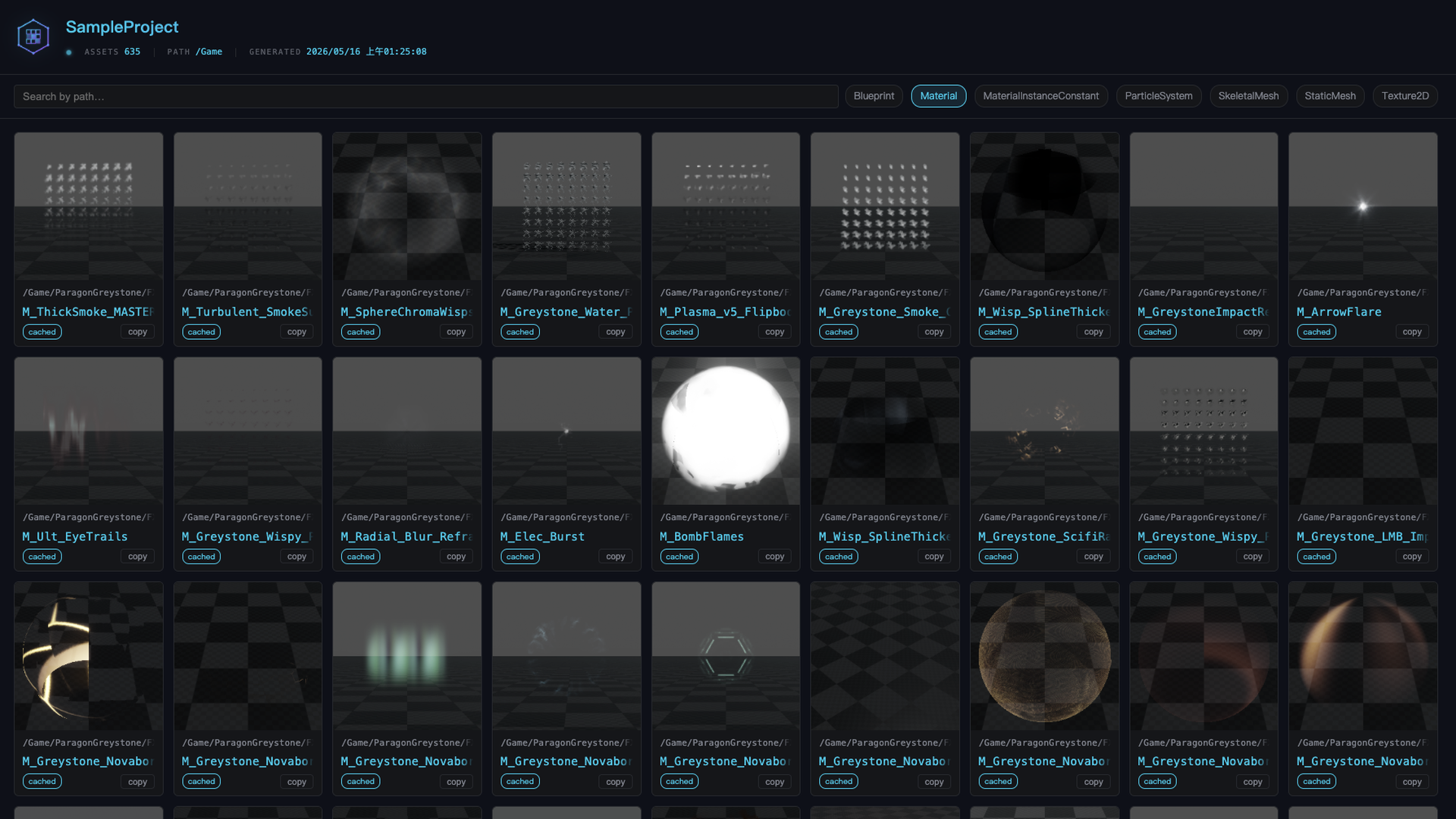
Don't install anything yet. Grab the zipped output AssetFolio produces from a real UE5 project, unzip it, open index.html in any browser. This is exactly what your recipients will see.
index.htmlThe source repository is private, so GitHub Issues isn't available to end users. Email me directly — I read everything and respond within a couple of working days. Bug reports, feature requests, integration questions — all welcome.
Please include your UE version, OS, and (if reporting a crash) the relevant lines from
Saved/Logs/.