Build a kit from a parts pack
Many Fab packs are kits of parts: hundreds of wall planes, beams, cornices, arches and buttresses, each with the author’s own pivot and facing, none of them a finished wall. ClaudeUnreal’s kit tools turn such a pack into tileable pieces you can hand to the castle assembler or a town planner — without you measuring pivots, flipping faces or working out spacing.
The prompts below are what you type to Claude in the editor’s Claude Code tab. Each one exercises one step end to end, and together they are a complete run. Episode 22 of the demo series is exactly this run, uncut, from a blank scene to the finished piece:
What the tools promise
Section titled “What the tools promise”| step | tool | writes | human gate |
|---|---|---|---|
| stage | stage_pack_kit | /Game/Maps/<Pack>_KitStage | — |
| survey | survey_pack | nothing | you pick roles from the sheet |
| format | format_pack_part | /Game/<Pack>_Formatted/SM_<part>_F | confirm the front view before the bake |
| compose | compose_pack_piece | /Game/<Pack>_Formatted/Pieces/SM_<name> | confirm three views before the bake |
| check | get_pack_status | nothing | — |
The pack’s own folder is never written. Two plain JSON files under
<Project>/KitRecords/<Pack>/ — parts.json (confirmed orientations) and
pieces.json (recipe × binding per piece) — are the record, and they belong
in version control. They sit outside Content/ on purpose: the editor
watches content directories for changed source files, and .json is one it
knows how to import, so a record kept there interrupts you every time a tool
writes one.
The sample binding
Section titled “The sample binding”Roles a recipe names, and the WhiteCastle meshes we bound them to. Replace the right-hand column with your own pack’s meshes.
| role | sample mesh (WhiteCastle) | what it is |
|---|---|---|
surface | SM_Surf_Plane_005 | the wall skin — a single-sided plane; defines the module length L and course height |
cap | SM_Floor_Plane_003 | a floor plane laid over the top of the wall |
buttress | SM_Det_WCArchElemContrforce2_1 | a solid pier — not Contrforce_1, which despite its name is a gilded finial |
slit | SM_Gat_WCArchElemWindow1_Full, SM_Gat_WCArchElemWindow2_Full | narrow windows (two variants) |
band | SM_Det_WCArchElemBeam_2 | a string course |
cornice | SM_Gat_WCArchElemCornice_2_Full | the cornice under the parapet |
arch | SM_Gat_WCArchElemArch_2_Full | a round arch |
All meshes live under /Game/WhiteCastle/Meshes/. This is the binding the
episode ends with; Claude proposed it from the survey sheet and the human
changed nothing.
Three messages
Section titled “Three messages”/cu:kit /Game/WhiteCastle runs the whole thing as one track. It stops at
exactly three moments, because exactly three need a pair of eyes — everything
between them (measuring, formatting, spawning, merging, saving, checking,
proving the piece tiles) happens without asking you.
-
Start it.
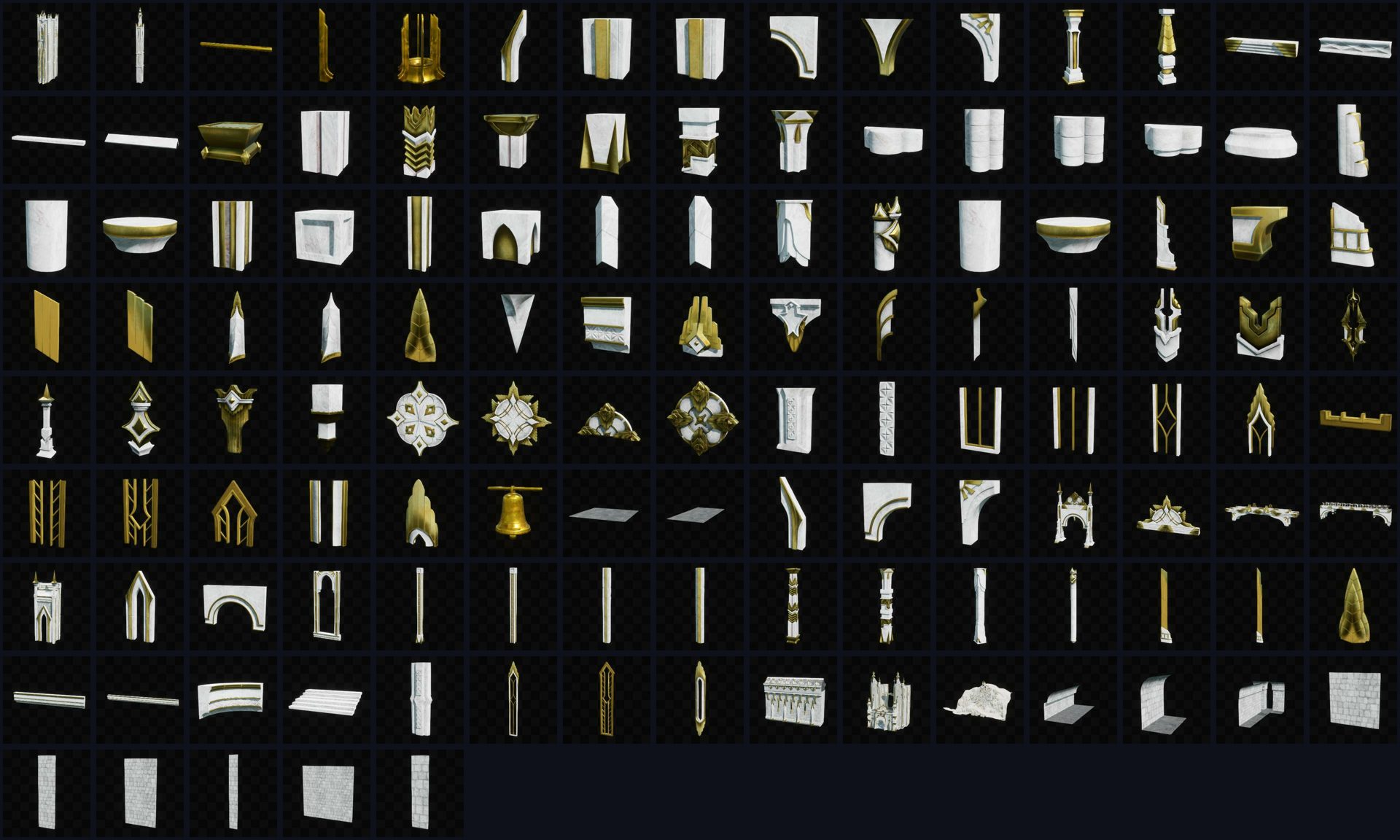
/cu:kit /Game/WhiteCastle/Game/WhiteCastleis the content folder of your pack — put wherever your kit-of-parts meshes live. WhiteCastle is only the pack the demo happens to use; the plugin does not ship it.Claude first stands the pack on a stage of its own — a flat, evenly lit level named after the pack, saving whatever level you had open — so that every sheet is photographed there and not against whatever terrain was loaded. Then it surveys the pack, reads the sheet in the Preview tab itself, and comes back with a proposed binding — which mesh it would use for the wall surface, the cap, a buttress, a window, a string course, a cornice, an arch — and says plainly that it is a proposal.
-
Correct the binding, in one line.
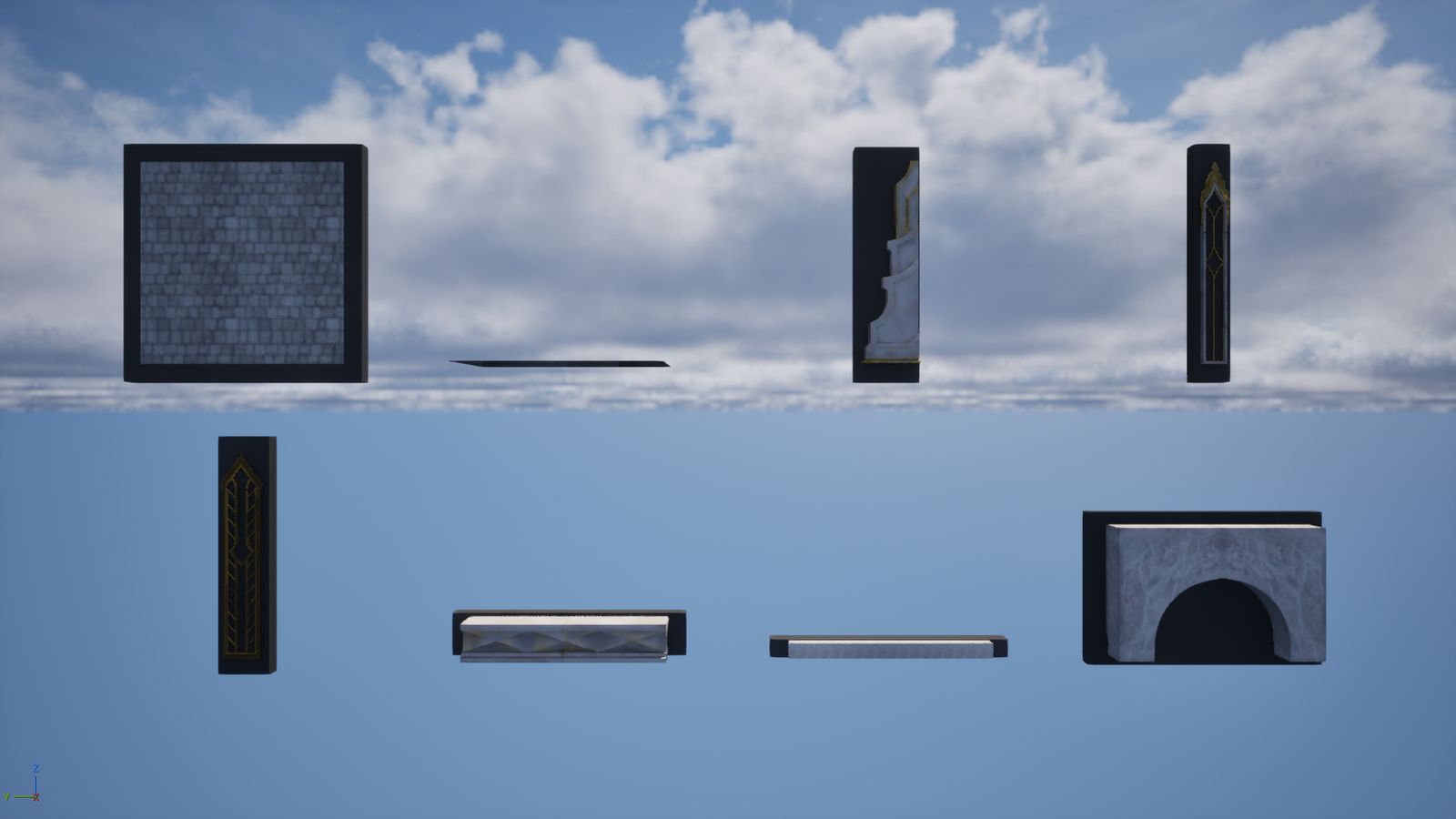
yes, but use SM_Det_WCArchElemBeam_2 for bandOr just looks right. Claude then proposes every part’s orientation in one sheet: the bound parts standing in a row, front and three-quarter, numbered against a table of true sizes and proposed turns. Behind each part is a grey slab — the wall it will be pressed against. A part facing the wrong way visibly stands off its slab.
-
Confirm the orientations, in one line.
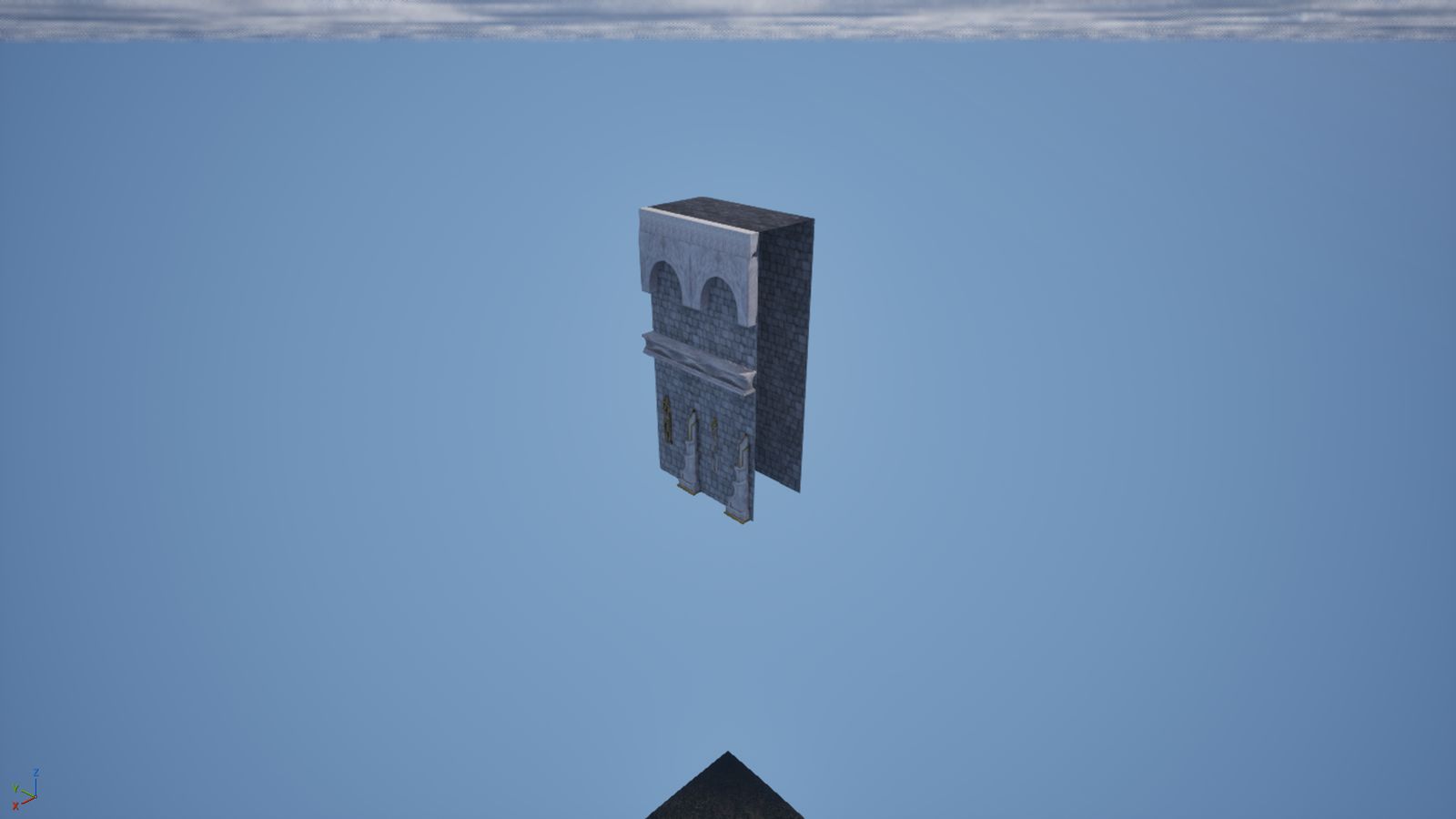
3 turn 90, rest are fineOr just yes. Claude bakes all of them, composes the piece, and shows you three views of it. Say bake it and you have a tileable wall — plus three copies spawned side by side so you can see the joins, then cleaned up.
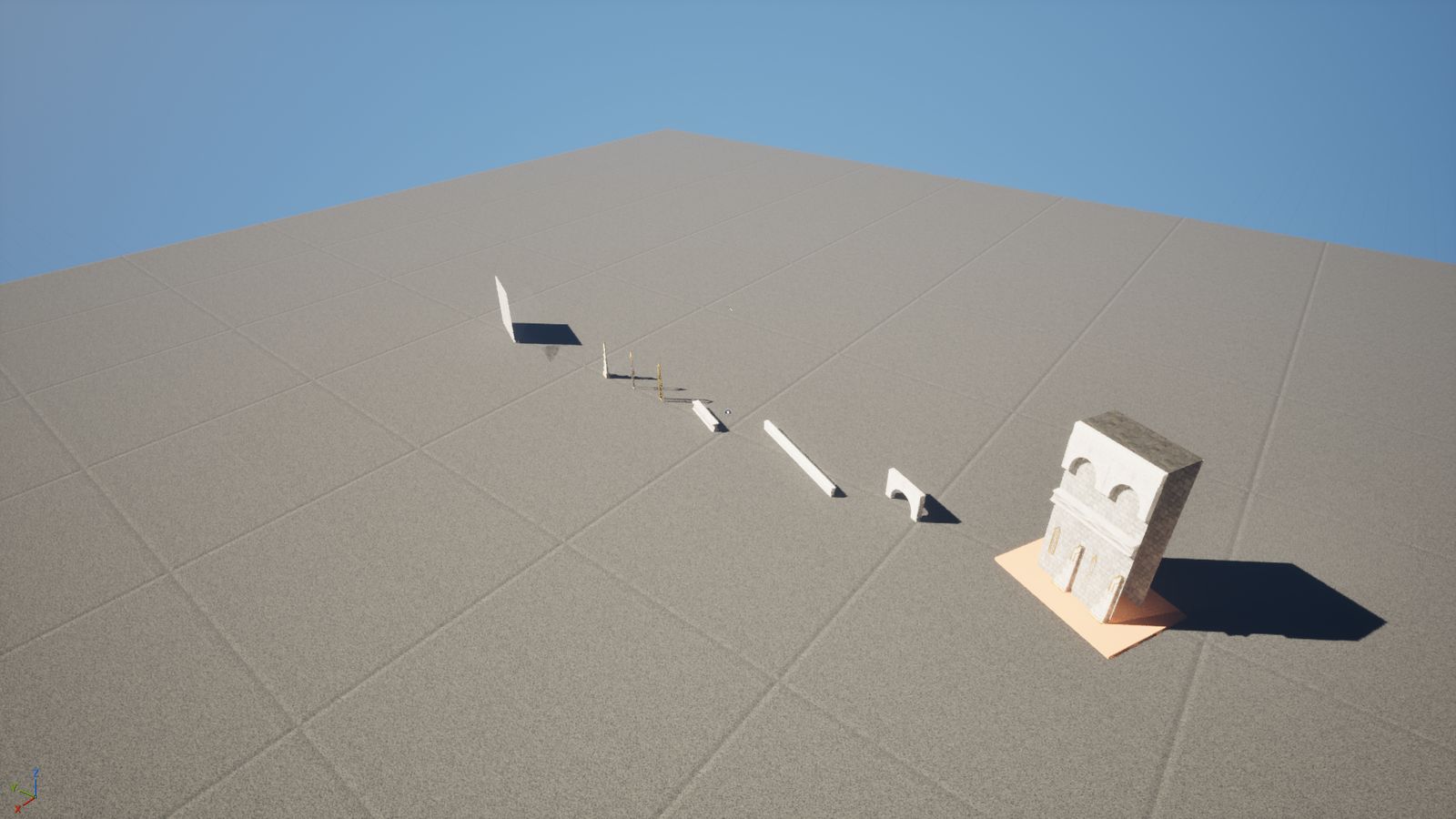
When the track finishes it stages the kit again, and that is where you look
at what you have: the parts you bound in a row, and on a plinth beside them,
the piece they became. layout="recipes" puts each piece behind the parts it
was made from, which is the view that explains what the compositor did.
Driving it by hand
Section titled “Driving it by hand”The track is only a wrapper around five commands. Use them directly when you want to format a single part, try a recipe of your own, or check a kit after reopening the editor.
# 0. stage — a flat, lit level of the pack's own; run again at the end to see the kit.claude/cu exec stage_pack_kit --params-json '{"path":"/Game/WhiteCastle"}'
# 1. survey — measured, unranked, nothing written.claude/cu exec survey_pack --params-json '{"path":"/Game/WhiteCastle","show":true}'
# 2. orientations — the whole pack in one sheet, nothing written.claude/cu exec format_pack_part --params-json \  '{"mesh_paths":["/Game/WhiteCastle/Meshes/SM_Surf_Plane_005",                  "/Game/WhiteCastle/Meshes/SM_Floor_Plane_003"]}'
# ...then bake each part with the yaw you confirmed.claude/cu exec format_pack_part --params-json \  '{"mesh_path":"/Game/WhiteCastle/Meshes/SM_Surf_Plane_005","yaw":90,"apply":true}'
# 3. compose — propose, look, then add "apply": true.claude/cu exec compose_pack_piece --params-json \  '{"recipe":"curtain_buttressed","name":"WC_Curtain_A","binding":{ ... }}'
# 4. status — records against disk, after reopening the editor.claude/cu exec get_pack_status --params-json '{"path":"/Game/WhiteCastle"}'
Built-in recipes: curtain_plain, curtain_buttressed, curtain_capped
(a run’s last module, its ends closed), doorway_plain, doorway_banded,
tower_plain and tower_buttressed (sides bends the same wall into a
polygonal drum, so a tower comes out of the wall’s own binding). For anything else pass recipe_dict — two courses, four
windows a module alternating two meshes, a band half way up, and so on. Every
validation problem is reported at once, before anything is spawned.
A single part still has its own proposal (mesh_path with no apply), which
is what to use when one part in a batch came out facing the wrong way and you
want a closer look at just that one.
What the track checks for you
Section titled “What the track checks for you”- Nothing floats. Every decoration is flush with a skin: its back face
sits on the outer skin (
flush: "front") or the inner one. - Nothing sits on a join. A copy that would cross the module’s edge is refused with its name and position; a piece is always exactly L long.
- The bake measures true. After a merge the piece is spawned and its bounds compared to the recipe’s promise; a mismatch is returned as a failure naming the axis, and nothing is recorded.
- You decided every orientation and every binding. The tools show and write; they never rank or choose.
Claude runs the tiling check itself before reporting — three copies a module apart, photographed and deleted. A visible seam means a part was formatted at the wrong yaw; say which one and it is re-baked.
Swapping the pack
Section titled “Swapping the pack”Nothing above is WhiteCastle-specific except the mesh names. To use another pack:
- Survey its folder and pick the equivalent parts.
- Format each one (the orientation gate will catch a part whose front faces the wrong way — that is the one thing no rule can know).
- Reuse the same recipe names with your binding. Module length, course height and thickness all come from your surface part.
The recipes are documented in full — every layer kind and key — in the
repository’s docs/mcp-tools/kit.md.