Lay a kit along a line
Every wall ClaudeUnreal built before this was planned by the agent placing
control points one at a time — the geometry lived in the agent’s head, was
re-derived every episode, and could not be handed to you as a thing to drag.
/cu:wall makes the line a tool: a small library of named styles with
parameters in modules, a real Spline actor you can edit before anything is
built, and two ways of laying the kit along it.
It assumes the kit already exists — /cu:kit has
run and pieces.json names a curtain and a tower.
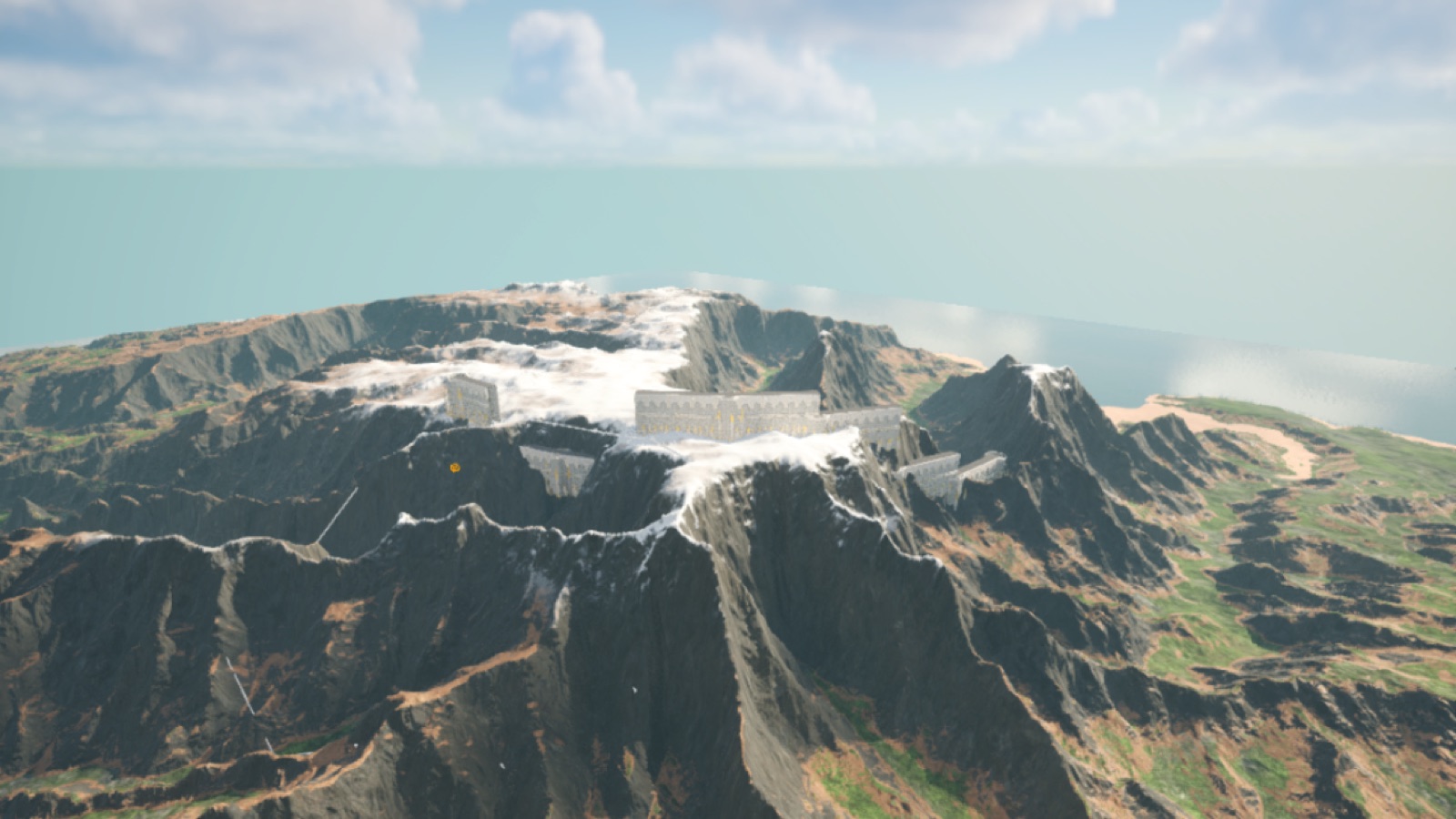
Episode 23 is exactly this run, from the empty valley to the finished ring:
What the tools promise
Section titled “What the tools promise”| step | tool | writes | human gate |
|---|---|---|---|
| check | get_pack_status | nothing | — |
| line | wall_spline | one Spline actor (BP_WallSpline) | lay the wall along this line? |
| plan | build_wall_spline | nothing | — |
| build | build_wall_spline + apply | the pieces; walls.json | — |
| undo | wipe_wall_spline | removes the pieces and the record | — |
The wall goes into whatever level is open — that is your world, and the
track never switches levels. walls.json sits beside parts.json and
pieces.json under <Project>/KitRecords/<Pack>/; it records what was laid
(mode, binding, the snapped points, the counts) and belongs in version
control.
The styles
Section titled “The styles”| style | params (modules) | shape |
|---|---|---|
ring | rx, ry; towers_every=4, jitter=0.0, seed | an ellipse whose perimeter is whole modules; a vertex — a tower — every towers_every modules |
rect | w, h; corner="tower"|"chamfer", chamfer=1, towers_every=4 | corners are vertices; chamfer cuts each corner at 45°; long sides get a vertex every towers_every |
star | r; sides=5, bastion_depth=2, shoulder=0.35 | a bastion on every side; tips sharper than 60° are refused |
arc | r, sweep_deg; start_deg=0, towers_every=4 | open; the front faces away from the centre |
trace | points [[x, y], …] or actor_label; closed=false, min_angle=60 | your own line — or your own Spline actor, and nothing new is spawned |
Every style also takes cx, cy — the centre, in cm — so “around that hill”
means reading the hill’s position first, not drawing at the origin. Fronts
face the left of the direction of travel; every closed style winds with
its outside on the left, and a trace faces left of your point order.
One message, one answer
Section titled “One message, one answer”/cu:wall /Game/WhiteCastle runs the whole thing as one track and stops
exactly once — at the line, because that is the one thing worth a pair of
eyes. Everything after your answer (planning, checking the crest, spawning,
recording, photographing the result) happens without asking.
-
Start it.
/cu:wall /Game/WhiteCastle — a ring of walls around that hill, a tower every four modulesClaude checks the kit’s records, names the level that is open, and reads the hill’s position. Then
wall_splinestands a Spline actor there — a ring 12 × 9 modules, say — with its control points already snapped so every edge is a whole number of modules, and pushes a top-down photograph to the Preview tab. -
Answer the gate.
yesOr first drag a few control points in the editor — pull the ring out to the cliff edge, push it in where the road comes through — and then say yes.
build_wall_splinereads the actor’s current points, re-snaps them to whole modules (a point moves at most half a module, or the build refuses and names it), and lays the kit:tileby default — every edge a run of curtain pieces sharing one level base, the lowest ground under that edge, and a tower at every vertex standing at the lower of its two edges’ bases, so the step is absorbed there. Claude reads the plan itself first: a vertex where the ground climbs more than the tower can hide is reported as overtopped, and it tells you rather than build it. -
Ask for what comes next — or don’t.
bend it instead, and put a gate in the south edgebendlays one SplineMesh section per module, the curtain itself curving with the line, no towers; it takes a plain piece only (a straight tile and a cap — in the sample pack that isWC_Curtain_P, made with thecurtain_plainrecipe). A gate stands in any edge you name, replacing its modules. Re-running on the same line replaces the wall; a newnamestands a second line beside the first.
Driving it by hand
Section titled “Driving it by hand”# 0. the kit's records, and the level that is open.claude/cu exec get_pack_status --params-json '{"path":"/Game/WhiteCastle"}'
# 1. the line — a ring 12 × 9 modules snapped to WC_Curtain_A's length; top-down shot to the Preview tab.claude/cu exec wall_spline --params-json \ '{"style":"ring","params":{"rx":12,"ry":9,"cx":-30000,"cy":-8000,"curtain":"WC_Curtain_A"},"name":"Wall_Ring"}'
# 2. plan — nothing spawned; the first edge photographed three-quarter.claude/cu exec build_wall_spline --params-json \ '{"actor_label":"Wall_Ring","mode":"tile","binding":{"curtain":"WC_Curtain_A","tower":"WC_Tower_A"}}'
# 3. build — actors WhiteCastle_Wall_Ring_<edge>_<module> and _T<vertex>; walls.json written.claude/cu exec build_wall_spline --params-json \ '{"actor_label":"Wall_Ring","mode":"tile","binding":{"curtain":"WC_Curtain_A","tower":"WC_Tower_A"},"apply":true}'
# the same line, bent — replaces the tile wall; a decorated piece is refused naming its layers.claude/cu exec build_wall_spline --params-json \ '{"actor_label":"Wall_Ring","mode":"bend","binding":{"curtain":"WC_Curtain_P"},"apply":true}'
# a gate: edge 0, centred, two modules wide (from the gate piece's length).claude/cu exec build_wall_spline --params-json \ '{"actor_label":"Wall_Ring","mode":"tile","binding":{"curtain":"WC_Curtain_A","tower":"WC_Tower_A","gate":"WC_Doorway_A"},"gate":{"edge":0,"at":"centre"},"apply":true}'
# 4. undo — the pieces and the record go; the line stays unless keep_spline is false.claude/cu exec wipe_wall_spline --params-json '{"actor_label":"Wall_Ring"}'What the track checks for you
Section titled “What the track checks for you”- Whole modules, always. Every edge is a whole number of curtain lengths; the line is snapped when it is drawn and again when it is built, and a point is never moved more than half a module.
- The kit fits the line.
wall_splinestores the module length it snapped with on the actor; a build with a curtain of another length is refused, naming both. - The crest is level. Per edge, the base is the lowest ground sampled under it — vertices plus every module boundary. Steps happen at towers, and a tower the step overtops is named before anything is built.
- Only plain pieces bend. A bent window is a trapezoid, a bent pier
leans, a bent arcade is asymmetric — so
bendrefuses a decorated piece and names the layers that disqualify it. - A rebuild replaces cleanly. New pieces are spawned first, the old ones destroyed second, the record written last — a failure halfway leaves the old wall standing.
Swapping the pack
Section titled “Swapping the pack”Nothing above is WhiteCastle-specific except the piece names. Run
/cu:kit on your pack, bind its curtain and tower,
and the same styles lay it — module length comes from your curtain.
The tools are documented in full — every style parameter, the snapping rule,
tile, bend, gate and the record — in the repository’s
docs/mcp-tools/kit.md.